 bash
bash
 Get Theme
 Program Details
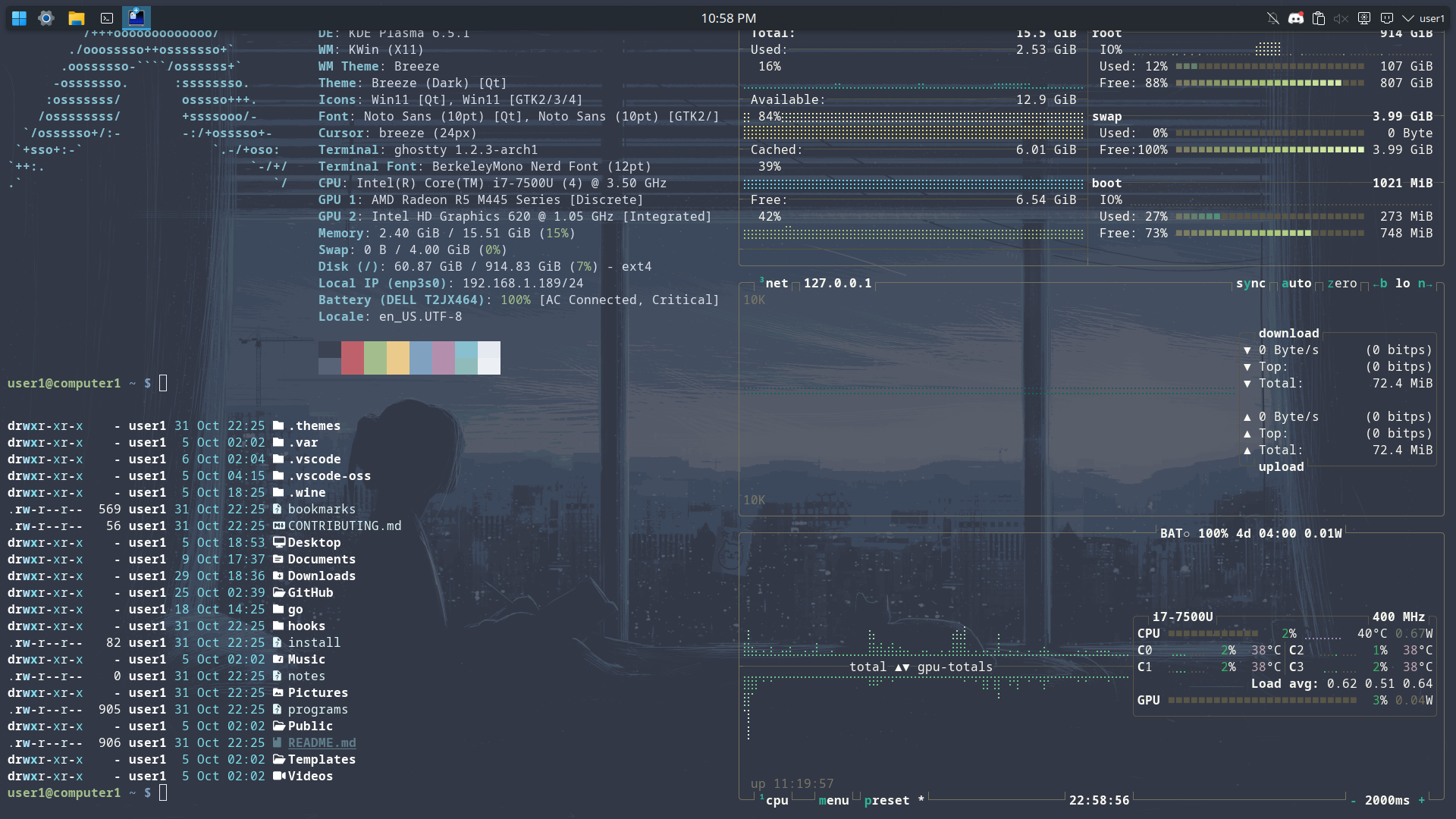
Bash is a free software shell that supports command-line editing, job control, shell functions, arrays, and more. It is compatible with sh and conforms to the POSIX standard.
# ------------------------------------------------------------------------------# SHELL INITIALIZATION# ------------------------------------------------------------------------------
# Prevent script from running if the shell is not interactive[[ $- != *i* ]] && return
# Alias sudo to allow expansion of subsequent aliasesalias sudo='sudo '
# ------------------------------------------------------------------------------# CONFIGURATION & PACKAGE MANAGERS# ------------------------------------------------------------------------------
# Gentooif command -v emerge &> /dev/null; then    if [[ ${EUID} == 0 ]] ; then        PS1='\[\033[01;31m\]\h\[\033[01;34m\] \W \$\[\033[00m\] '    else        PS1='\[\033[01;32m\]\u@\h\[\033[01;34m\] \w \$\[\033[00m\] '    fi    alias list="emerge -pqe @world"    alias listdups="equery list --duplicates '*'"    alias listworld="emerge -pqe --nodeps @world"    alias sync="emerge --sync"    alias install="emerge -avq "    alias remove="emerge --depclean -avq"    alias update="emerge -avquD @world --with-bdeps=y"    alias update-new="emerge -avquDN @world"    alias update-changed="emerge -avquDU @world"    alias clean="emerge --depclean -aq"    alias checkse="glsa-check --test all"
# Arch Linuxelif command -v pacman &> /dev/null; then    PS1='\[\e[1;34m\]\u\[\e[0m\]@\[\e[1;32m\]\h\[\e[0m\]:\[\e[1;37m\]\w\[\e[0m\]\$ '    alias update='sudo pacman -Syu'    alias install='sudo pacman -S'    alias remove='sudo pacman -Rs'    alias list='pacman -Qe'    alias clean='[[ -n $(pacman -Qtdq) ]] && sudo pacman -Rns $(pacman -Qtdq) || echo "No orphans to clean."'    alias installa='yay -S'    alias updater='yay -Syu'    alias lister='yay -Qem'
# Nala (Debian/Ubuntu Frontend)elif command -v nala &> /dev/null; then    PS1='${debian_chroot:+($debian_chroot)}\u@\h:\w\$ '    alias update='sudo nala update && sudo nala upgrade -y'    alias install='sudo nala install'    alias remove='sudo nala remove'    alias clean='sudo nala autoremove'    alias list='nala list --installed'
# Debian / Ubuntu (Apt)elif command -v apt &> /dev/null; then    PS1='${debian_chroot:+($debian_chroot)}\u@\h:\w\$ '    alias update='sudo apt update && sudo apt upgrade -y'    alias install='sudo apt install'    alias remove='sudo apt remove'    alias clean='sudo apt autoremove && sudo apt autoclean'    alias list='apt list --installed'
# CentOS / Fedora (DNF)elif [ -f /etc/fedora-release ] || [ -f /etc/redhat-release ] || command -v dnf &> /dev/null; then    PS1="[\s-\\v\\\$ ] "    alias update='sudo dnf upgrade --refresh'    alias install='sudo dnf install'    alias remove='sudo dnf remove'    alias list='dnf list installed'
# Default fallbackelse    PS1='\u@\h:\w\$ '    echo "Warning: No supported package manager detected."fi
# ------------------------------------------------------------------------------# PROGRAM ALIASES & UTILITIES# ------------------------------------------------------------------------------
alias dev="konsole --tabs-from-file $HOME/klayout & disown "
alias sysd='sudo systemctl-tui'
alias ls='ls --color=auto -lah'alias lsa="eza -la --icons=always"alias grep='grep --color=auto'alias ip='ip -color=auto'
alias fzfa='fzf --style full \    --border --padding 1,2 \    --border-label " Demo " --input-label " Input " --header-label " File Type " \    --preview "fzf-preview.sh {}" \    --bind "result:transform-list-label: if [[ -z \$FZF_QUERY ]]; then echo \" \$FZF_MATCH_COUNT items \"; else echo \" \$FZF_MATCH_COUNT matches for [\$FZF_QUERY] \"; fi" \    --bind "focus:transform-preview-label:[[ -n {} ]] && printf \" Previewing [%s] \" {}" \    --bind "focus:+transform-header:file --brief {} || echo \"No file selected\"" \    --bind "ctrl-r:change-list-label( Reloading the list )+reload(sleep 2; git ls-files)" \    --color "border:#aaaaaa,label:#cccccc" \    --color "preview-border:#9999cc,preview-label:#ccccff" \    --color "list-border:#669966,list-label:#99cc99" \    --color "input-border:#996666,input-label:#ffcccc" \    --color "header-border:#6699cc,header-label:#99ccff"'
# --- Themes ---alias themes-install="git init $HOME && git remote add origin https://github.com/linuxthemes/base && git pull origin main"alias themes-update="git pull"alias themes-switch="git checkout"alias themes-create="git checkout -b"alias themes-push="git push"alias themes-programs="sh $HOME/programs"
# ------------------------------------------------------------------------------# EXPORTS & ENVIRONMENT# ------------------------------------------------------------------------------
# export PATH="$HOME/.cargo/bin:$PATH"# export PATH="$PATH:$(go env GOPATH)/bin"# export ASDF_DATA_DIR="$HOME/.asdf"# export PATH="$ASDF_DATA_DIR/shims:$PATH"
# Node Version Manager# export NVM_DIR="$HOME/.nvm"# [ -s "$NVM_DIR/nvm.sh" ] && \. "$NVM_DIR/nvm.sh"# [ -s "$NVM_DIR/bash_completion" ] && \. "$NVM_DIR/bash_completion"
# uvexport PATH="/home/$USER/.local/bin:$PATH"
# ------------------------------------------------------------------------------# FUNCTIONS# ------------------------------------------------------------------------------
# Extract any archive easilyextract () {  if [ -f $1 ] ; then    case $1 in      *.tar.bz2)   tar xjf $1     ;;      *.tar.gz)    tar xzf $1     ;;      *.bz2)       bunzip2 $1     ;;      *.rar)       unrar x $1     ;;      *.gz)        gunzip $1      ;;      *.tar)       tar xf $1      ;;      *.tbz2)      tar xjf $1     ;;      *.tgz)       tar xzf $1     ;;      *.zip)       unzip $1       ;;      *.Z)         uncompress $1  ;;      *.7z)        7z x $1        ;;      *)           echo "'$1' cannot be extracted via extract()" ;;    esac  else    echo "'$1' is not a valid file"  fi}