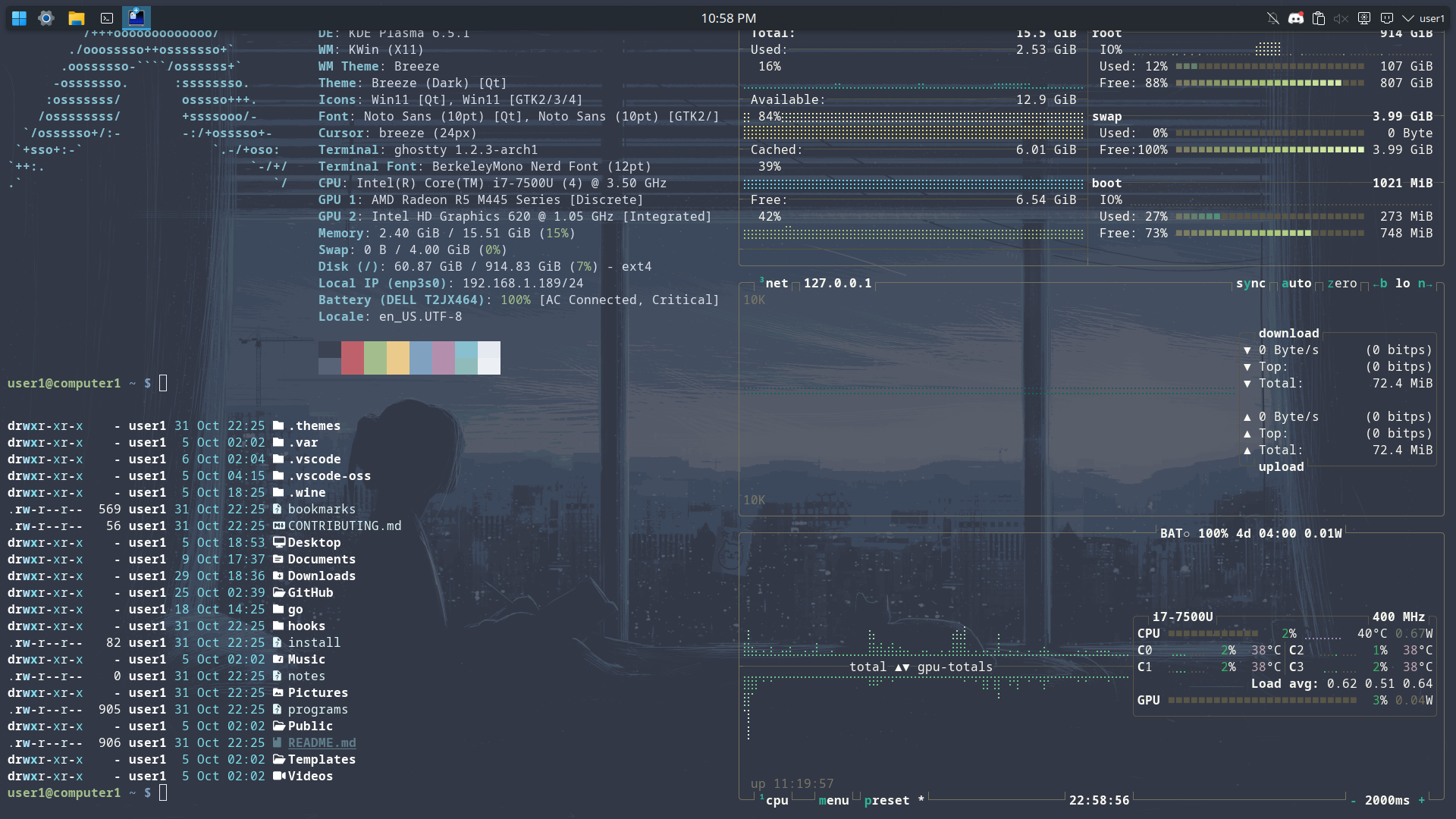
 hyprland
 Get Theme
 Program Details
Hyprland is an independent, highly customizable, dynamic tiling Wayland compositor that doesn't sacrifice on its looks.
# https://wiki.hypr.land/Configuring/
### MONITORS############################## monitor=,preferred,auto,automonitor=,highres,auto,1
### MY PROGRAMS#############################$terminal = ghostty$fileManager = nautilus# $menu = rofi -show drun$menu = walker
### AUTOSTART#############################exec-once=hyprpaperexec-once = waybar# exec-once = $terminal# exec-once = nm-applet &# exec-once = waybar & hyprpaper & firefox
### ENVIRONMENT VARIABLES#############################env = XCURSOR_SIZE,24env = HYPRCURSOR_SIZE,24
### PERMISSIONS############################## Please note permission changes here require a Hyprland restart and are not applied on-the-fly# for security reasons# ecosystem {#   enforce_permissions = 1# }# permission = /usr/(bin|local/bin)/grim, screencopy, allow# permission = /usr/(lib|libexec|lib64)/xdg-desktop-portal-hyprland, screencopy, allow# permission = /usr/(bin|local/bin)/hyprpm, plugin, allow

### LOOK AND FEEL#############################general {    gaps_in = 4    gaps_out = 4    border_size = 2    col.active_border = rgba(33ccffee) rgba(00ff99ee) 45deg  # col.active_border = rgb(cc5500) rgba(ffa500ee) 45deg
    col.inactive_border = rgba(595959aa)    resize_on_border = false    allow_tearing = false    # layout = dwindle    layout = master}
master { # restart  orientation = right}

decoration {    rounding = 4    rounding_power = 2    active_opacity = 1.0    inactive_opacity = 1.0    shadow {        enabled = true        range = 4        render_power = 3        color = rgba(1a1a1aee)    }    blur {        enabled = true        size = 3        passes = 1        vibrancy = 0.1696    }}
animations {    enabled = yes, please :)    bezier = easeOutQuint,   0.23, 1,    0.32, 1    bezier = easeInOutCubic, 0.65, 0.05, 0.36, 1    bezier = linear,         0,    0,    1,    1    bezier = almostLinear,   0.5,  0.5,  0.75, 1    bezier = quick,          0.15, 0,    0.1,  1    animation = global,        1,     10,    default    animation = border,        1,     5.39,  easeOutQuint    animation = windows,       1,     4.79,  easeOutQuint    animation = windowsIn,     1,     4.1,   easeOutQuint, popin 87%    animation = windowsOut,    1,     1.49,  linear,       popin 87%    animation = fadeIn,        1,     1.73,  almostLinear    animation = fadeOut,       1,     1.46,  almostLinear    animation = fade,          1,     3.03,  quick    animation = layers,        1,     3.81,  easeOutQuint    animation = layersIn,      1,     4,     easeOutQuint, fade    animation = layersOut,     1,     1.5,   linear,       fade    animation = fadeLayersIn,  1,     1.79,  almostLinear    animation = fadeLayersOut, 1,     1.39,  almostLinear    animation = workspaces,    1,     1.94,  almostLinear, fade    animation = workspacesIn,  1,     1.21,  almostLinear, fade    animation = workspacesOut, 1,     1.94,  almostLinear, fade    animation = zoomFactor,    1,     7,     quick}
# "Smart gaps" / "No gaps when only"# uncomment all if you wish to use that.# workspace = w[tv1], gapsout:0, gapsin:0# workspace = f[1], gapsout:0, gapsin:0# windowrule = bordersize 0, floating:0, onworkspace:w[tv1]# windowrule = rounding 0, floating:0, onworkspace:w[tv1]# windowrule = bordersize 0, floating:0, onworkspace:f[1]# windowrule = rounding 0, floating:0, onworkspace:f[1]
dwindle {    pseudotile = true # Master switch for pseudotiling. Enabling is bound to mainMod + P in the keybinds section below    preserve_split = true # You probably want this}master {    new_status = master}misc {    force_default_wallpaper = 1 # Set to 0 or 1 to disable the anime mascot wallpapers    disable_hyprland_logo = false # If true disables the random hyprland logo / anime girl background. :(}
### INPUT#############################input {    kb_layout = us    kb_variant =    kb_model =    kb_options =    kb_rules =    follow_mouse = 1    sensitivity = 0 # -1.0 - 1.0, 0 means no modification.    touchpad {        natural_scroll = false    }}
gesture = 3, horizontal, workspacedevice {    name = epic-mouse-v1    sensitivity = -0.5}
### KEYBINDINGS###################
$mainMod = SUPER
bind = Alt, Tab, cyclenextbind = Alt+Shift, Tab, cyclenext, prev
bind = $mainMod, up, fullscreen, 1bind = Alt, S, layoutmsg, swapwithmaster
bind = Ctrl, Q, killactive,bind = $mainMod+Shift, Q, exit,bind = Ctrl, Space, exec, $menubind = Shift, Space, exec, $terminalbind = Shift+Ctrl, f, exec, $fileManager
# bind = $mainMod, P, pseudo, # dwindle# bind = $mainMod, J, togglesplit, # dwindle# bind = $mainMod, V, togglefloating,
# Move focus with mainMod + arrow keysbind = $mainMod, left, movefocus, lbind = $mainMod, right, movefocus, rbind = $mainMod, up, movefocus, ubind = $mainMod, down, movefocus, d
# Switch workspaces with mainMod + [0-9]# bind = $mainMod, 1, workspace, 1# bind = $mainMod, 2, workspace, 2# bind = $mainMod, 3, workspace, 3# bind = $mainMod, 4, workspace, 4# bind = $mainMod, 5, workspace, 5# bind = $mainMod, 6, workspace, 6# bind = $mainMod, 7, workspace, 7# bind = $mainMod, 8, workspace, 8# bind = $mainMod, 9, workspace, 9# bind = $mainMod, 0, workspace, 10
# Move active window to a workspace with mainMod + SHIFT + [0-9]# bind = $mainMod SHIFT, 1, movetoworkspace, 1# bind = $mainMod SHIFT, 2, movetoworkspace, 2# bind = $mainMod SHIFT, 3, movetoworkspace, 3# bind = $mainMod SHIFT, 4, movetoworkspace, 4# bind = $mainMod SHIFT, 5, movetoworkspace, 5# bind = $mainMod SHIFT, 6, movetoworkspace, 6# bind = $mainMod SHIFT, 7, movetoworkspace, 7# bind = $mainMod SHIFT, 8, movetoworkspace, 8# bind = $mainMod SHIFT, 9, movetoworkspace, 9# bind = $mainMod SHIFT, 0, movetoworkspace, 10
# Example special workspace (scratchpad)# bind = $mainMod, S, togglespecialworkspace, magic# bind = $mainMod SHIFT, S, movetoworkspace, special:magic
# Scroll through existing workspaces with mainMod + scroll# bind = $mainMod, mouse_down, workspace, e+1# bind = $mainMod, mouse_up, workspace, e-1
# Move/resize windows with mainMod + LMB/RMB and draggingbindm = $mainMod, mouse:272, movewindowbindm = $mainMod, mouse:273, resizewindow
# Laptop multimedia keys for volume and LCD brightnessbindel = ,XF86AudioRaiseVolume, exec, wpctl set-volume -l 1 @DEFAULT_AUDIO_SINK@ 5%+bindel = ,XF86AudioLowerVolume, exec, wpctl set-volume @DEFAULT_AUDIO_SINK@ 5%-bindel = ,XF86AudioMute, exec, wpctl set-mute @DEFAULT_AUDIO_SINK@ togglebindel = ,XF86AudioMicMute, exec, wpctl set-mute @DEFAULT_AUDIO_SOURCE@ togglebindel = ,XF86MonBrightnessUp, exec, brightnessctl -e4 -n2 set 5%+bindel = ,XF86MonBrightnessDown, exec, brightnessctl -e4 -n2 set 5%-
# Requires playerctlbindl = , XF86AudioNext, exec, playerctl nextbindl = , XF86AudioPause, exec, playerctl play-pausebindl = , XF86AudioPlay, exec, playerctl play-pausebindl = , XF86AudioPrev, exec, playerctl previous
### WINDOWS AND WORKSPACES############################### windowrule = float,class:^(kitty)$,title:^(kitty)$windowrule = suppressevent maximize, class:.*windowrule = nofocus,class:^$,title:^$,xwayland:1,floating:1,fullscreen:0,pinned:0$color = rgba(12,12,12,1.0)$inner_color = rgba(138,138,141,0.3)$outer_color = rgba(234,234,234,0.5)$font_color = rgba(234,234,234,1.0)$check_color = rgba(245,158,11,1.0)
background { monitor = color = $color path = ~/Pictures/matte-black.png blur_passes = 3}
animations { enabled = true}
input-field { monitor = size = 600, 100 position = 0, 0 halign = center valign = center
inner_color = $inner_color outer_color = $outer_color outline_thickness = 4
font_family = CaskaydiaMono Nerd Font font_color = $font_color
placeholder_text = Enter Password check_color = $check_color fail_text = <i>$PAMFAIL ($ATTEMPTS)</i>
rounding = 0 shadow_passes = 0 fade_on_empty = false}
auth { fingerprint:enabled = true}# ipc = offsplash = true
preload = /home/user1/Pictures/coast5.jpgwallpaper = , /home/user1/Pictures/coast5.jpg